You can download the challenge files and solutions here: MCTF2026-Seal-main.zip
Description (Player Facing)
Subject: An anonymous video board with no logins. Background: Nobody will admit to standing up this clip board, but it has been live for weeks. There are no usernames, no signups, no captchas, and nothing posted here can ever be taken down. The catalog lists every clip under a cold, opaque hex ID and never says who uploaded it. The board already knows who you are. Objective: Upload a video as the admin. (case sensitive)
Solution
TL;DR
Every catalog clip carries an invisible videoseal
watermark whose 256-bit payload is name (16B NUL-padded ASCII) + SHA-256(name)[:16],
where the hash is taken over the full 16-byte NUL-padded name, not the raw username.
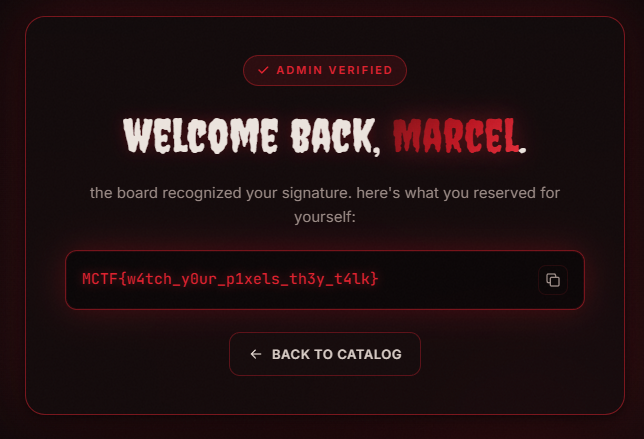
/upload extracts that payload and returns the flag if the name equals the admin's.
The front page names the admin (Marcel), but the admin's own clip is not in the
catalog. So you recover the payload format from the decoy clips, compute the admin's
hash tag yourself, forge a clip carrying that payload, and upload it.
1. Recon
The landing page shows clips under opaque hex IDs, with a single upload form and no username field.
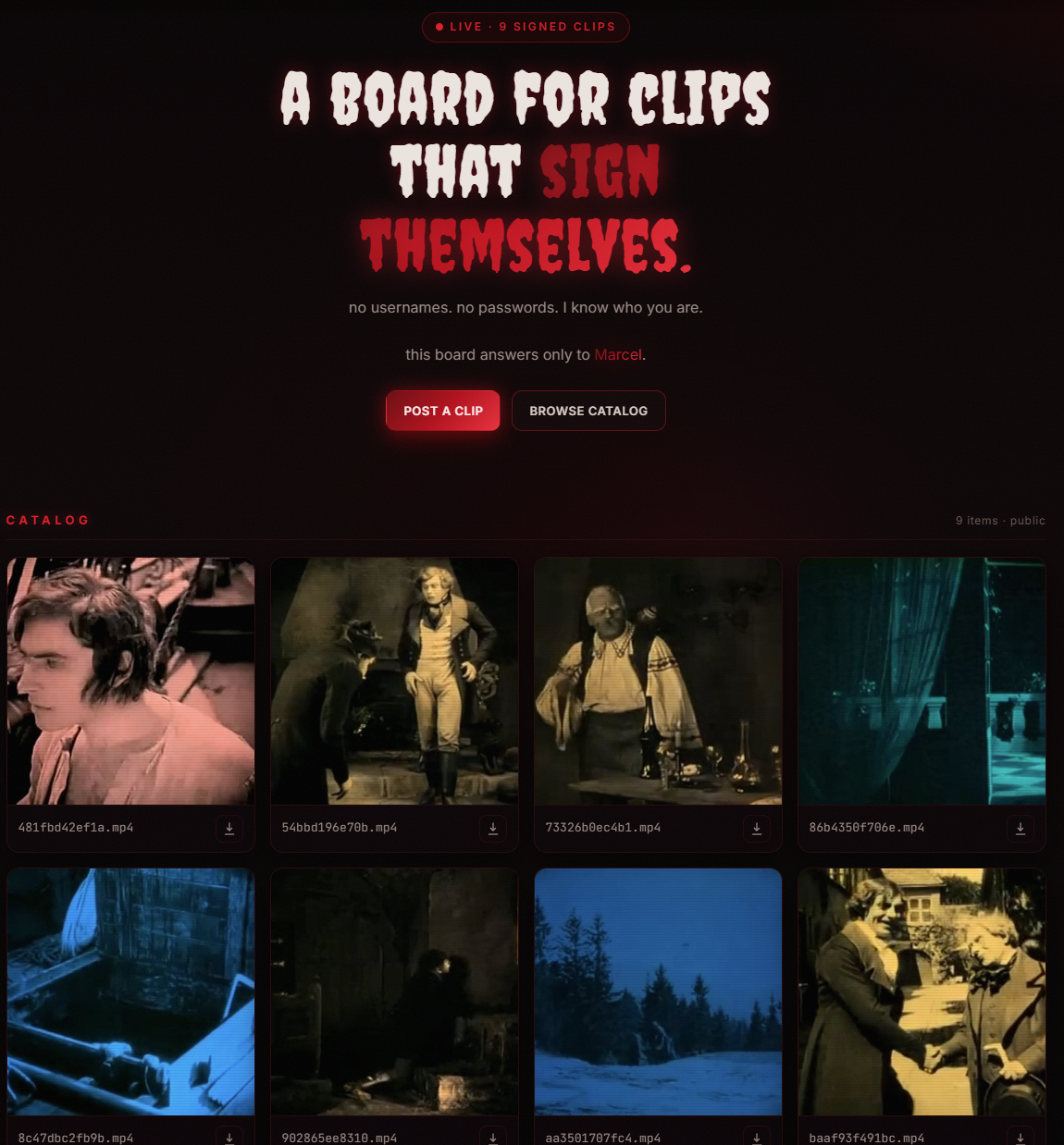
Two things stand out. The front page openly names its owner: "this board answers only to Marcel." And every response on any clip reveals the watermarking tool:
$ curl -sI http://<host>:8000/videos/<id>.mp4
HTTP/1.1 200 OK
Content-Type: video/mp4
X-Content-Signed-By: videoseal/v1.0/256bits
videoseal is Meta's neural
video watermarking library, and the videoseal card hides a 256-bit payload per clip.
The board signs every upload and re-reads it to identify the poster. The goal is to post
as Marcel, but none of the catalog clips belongs to the admin, so there is nothing to
just re-upload. You have to forge one.
Setup
pip install -r src/requirements.txtvideoseal.load() reads videoseal/cards/*.yaml and configs/attenuation.yaml
from the current directory (videoseal ships these files in the repository and the package).
If you are working from another location (outside the videoseal checkout), you can copy these files into the working directory so the scripts run from anywhere:
def stage_videoseal_configs() -> None:
    """videoseal.load() reads `videoseal/cards/*.yaml` and
    `configs/attenuation.yaml` from the current working directory, so
    copy them in if missing so this
    runs anywhere, not just inside a videoseal checkout."""
    if not Path("videoseal/cards").exists():
        shutil.copytree(Path(videoseal.__file__).resolve().parent / "cards", "videoseal/cards")
    attn = Path("configs/attenuation.yaml")
    if not attn.exists():
        attn.parent.mkdir(parents=True, exist_ok=True)
        attn.write_text(
            "jnd_1_1: {in_channels: 1, out_channels: 1}\n"
            "jnd_3_3: {in_channels: 3, out_channels: 3}\n"
            "jnd_1_3: {in_channels: 1, out_channels: 3}\n"
            "jnd_3_1: {in_channels: 3, out_channels: 1}\n"
        )
2. Read the watermarks
The videoseal repository ships example code for reading and writing payloads: see
notebooks/video_inference.ipynb and docs/torchscript.md.
Download a clip and run videoseal's extract_message on each. The model returns the raw 256-bit payload, aggregated across frames (aggregation="avg" is the
default video strategy):
model = videoseal.load("videoseal").eval()
video, _, _ = torchvision.io.read_video(sys.argv[1], pts_unit="sec")
frames = video.permute(0, 3, 1, 2).float() / 255.0

with torch.no_grad():
    msg = model.extract_message(frames, aggregation="avg")
print(decode(msg.squeeze().cpu().numpy()))
Pack the 256 bits into 32 bytes and look:
>>> payload[:16]    # b'Mike\x00\x00\x00\x00\x00\x00\x00\x00\x00\x00\x00\x00'  -> NUL-padded ASCII name
>>> payload[16:]    # 16 random-looking bytes                                  -> integrity tag?
>>> hashlib.sha256(payload[:16]).digest()[:16] == payload[16:]   # True        -> confirmed: SHA-256 tail
We can see that the first 16 bytes are a NUL-padded ASCII username, and the last 16 are
SHA-256(name)[:16], where name is the full 16-byte NUL-padded field. Including an integrity tag makes sense given potential video alterations
(encoding, resizing, compression, etc.). The hash matches on every clip, so the format
is verified. I built a decode() function that enforces it, returning None on anything
that isn't a valid signature instead of inventing a name:
def decode(bits: np.ndarray) -> str | None:
    payload = bytes(np.packbits(np.asarray(bits, np.uint8).reshape(-1)[:256]))
    name, tag = payload[:16], payload[16:]
    if hashlib.sha256(name).digest()[:16] != tag:
        return None
    return name.rstrip(b"\x00").decode("ascii", "replace") or None
Sweeping the whole catalog recovers every username:
for f in *.mp4; do echo "$f -> $(python extract.py "$f")"; doneYou recover the decoy usernames, and Marcel (the admin named on the front page)
is not among them. The admin's clip is deliberately absent, so you can't copy its
payload or re-upload it. You must compute SHA-256("Marcel"...)[:16] yourself. Reading the
decoys is what hands you the exact byte layout to reproduce.
3. Forge the admin clip
/upload runs the same extraction, recomputes the hash, and compares the recovered
name to its secret with hmac.compare_digest, a constant-time and case-sensitive
byte compare. So reproduce the admin name exactly as the front page shows it (Marcel).
Build the payload for the admin name:
def encode(name: str) -> np.ndarray:
    """16-byte NUL-padded ASCII name + 16-byte SHA-256(name)[:16] -> 256 bits."""
    raw = name.encode("ascii").ljust(16, b"\x00")
    payload = raw + hashlib.sha256(raw).digest()[:16]
    return np.unpackbits(np.frombuffer(payload, np.uint8))
Embed it into a clip and write it back.
msg = torch.from_numpy(encode(name)).float().unsqueeze(0)   # (1, 256)
out = model.embed(frames, msgs=msg, is_video=True)          # 1) msgs= -> OUR message
wm = (out["imgs_w"].clamp(0, 1) * 255).byte().permute(0, 2, 3, 1).cpu()
torchvision.io.write_video(dst, wm, fps=24, video_codec="libx264",
                           options={"crf": "10"})            # 2) CRF 10 -> survives re-encode (sometimes opt, but 10 is safe)
Two details matter:
msgs=: without it,embedinjects a random 256-bit message, so the board reads garbage (no signature).crf=10: at libx264's default of about 23, roughly 30 of 256 bits flip on smooth content. That corrupts the 16-byte name half, which must be bit-perfect, so the decode fails. CRF 10 is visually lossless and a safe bet across the board, a higher CRF may survive on some clips, which is likely why some default-CRF can fail.
Forge and upload:
python forge.py Marcel example.mp4 Marcel.mp4Then upload Marcel.mp4 via the web form, the board reads Marcel, the compare matches, and the flag drops: